

Download Colabolo – Free Adobe Air Project Management Tool for Teams
Overview of Colabolo
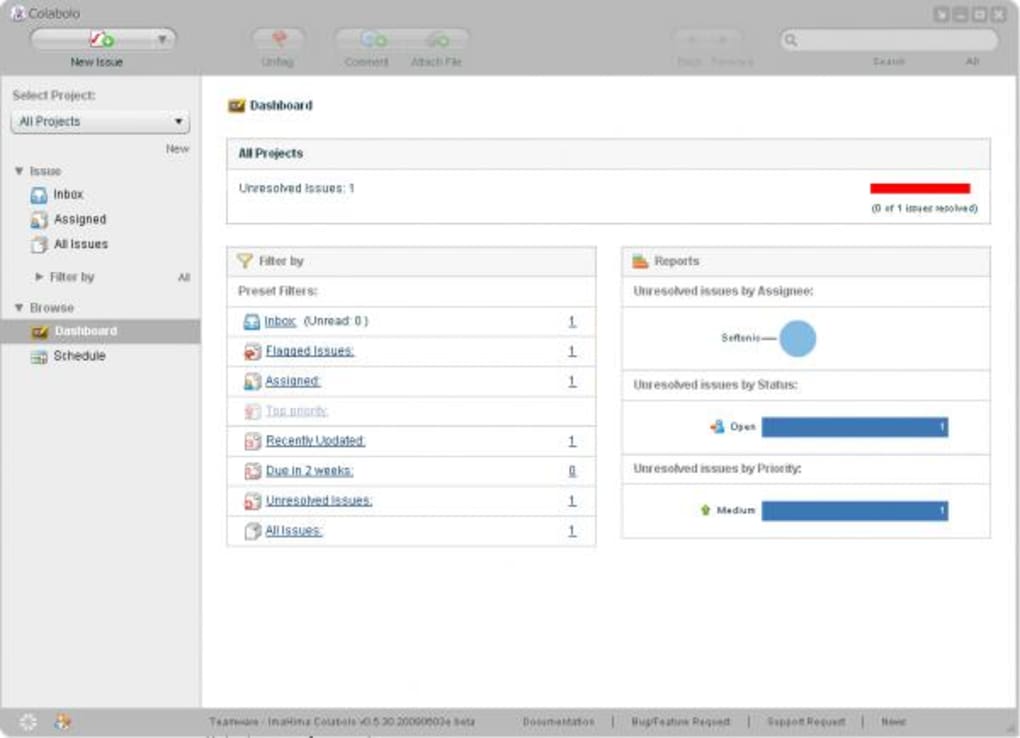
Colabolo is a slick, Adobe Air‑based project manager that targets small‑to‑medium teams looking for a simple, visually appealing way to coordinate tasks, meetings, and spreadsheets. Built on the familiar look‑and‑feel of an e‑mail client, Colabolo presents a left‑hand navigation pane that houses folders, trays, and project lists, making it instantly recognizable for users who have worked with classic desktop applications. The platform is currently in a public beta, which means you can download and start using it for free while the developers fine‑tune the service. Registration takes less than a minute, and once you’re signed in, your projects are saved on the Colabolo cloud, ready to be shared with teammates.
What truly sets Colabolo apart is its “hand‑holding” onboarding experience. When you launch the app for the first time, a post‑it‑style tip walks you through creating a new project, adding members, and defining the project’s scope. This guided flow eliminates the steep learning curve that many project‑management tools impose, making Colabolo an ideal choice for beginners or managers who prefer a straightforward, no‑frills interface. While the feature set is intentionally lean—focusing on core functionalities such as task assignment, Excel sheet integration, and meeting tracking—it delivers a polished, responsive experience that feels both modern and trustworthy.
Looking ahead, the development team has announced upcoming iPhone support, which will extend the platform’s reach to mobile users, enabling real‑time task updates from anywhere. Though the full‑featured version will eventually transition to a paid model, the current free beta offers a risk‑free way to evaluate whether Colabolo fits your workflow before committing to a subscription.
Key Features of Colabolo
- Adobe Air Interface: Leverages the stability and cross‑platform capabilities of Adobe Air, ensuring consistent performance on Windows and macOS.
- Guided Onboarding: Interactive pop‑up tips walk new users through project creation, member invitation, and initial setup.
- Excel Sheet Integration: Attach, view, and edit multiple Excel files directly within a project, simplifying data collaboration.
- Task & Assignment Tracker: Create, assign, and monitor tasks with due dates, priority flags, and status updates.
- Meeting Scheduler: Built‑in calendar view lets you schedule meetings, attach agendas, and record outcomes.
- Cloud Sync: All project data is stored securely on Colabolo’s servers, enabling real‑time collaboration across devices.
- Folder‑Style Navigation: Left‑hand pane mimics familiar e‑mail client layouts, helping users locate projects, archives, and templates quickly.
- Multi‑Project Support: Create unlimited projects during the beta phase, each with its own team members and resources.
- Upcoming Mobile App: iPhone support in development ensures you’ll soon be able to manage tasks on the go.
- Free Beta Access: Full access to all current features without charge while the platform is in public testing.
While Colabolo does not yet boast advanced Gantt charts, time‑tracking analytics, or AI‑driven insights, its focus on core collaboration tools makes it lightweight and fast. The simplicity of the interface reduces visual clutter, allowing project managers to concentrate on delivering results rather than navigating complex menus. For teams that need a reliable, secure, and easy‑to‑learn environment for handling spreadsheets, assignments, and meetings, Colabolo hits the sweet spot.
Installation, Usage Instructions, and Compatibility
Step‑by‑Step Installation
- Visit the official Colabolo website and click the Download button for your operating system (Windows or macOS).
- The installer, packaged as an Adobe Air runtime file, will prompt you to confirm the installation. Accept the terms and let the installer finish.
- After installation, launch Colabolo from your desktop shortcut or applications folder.
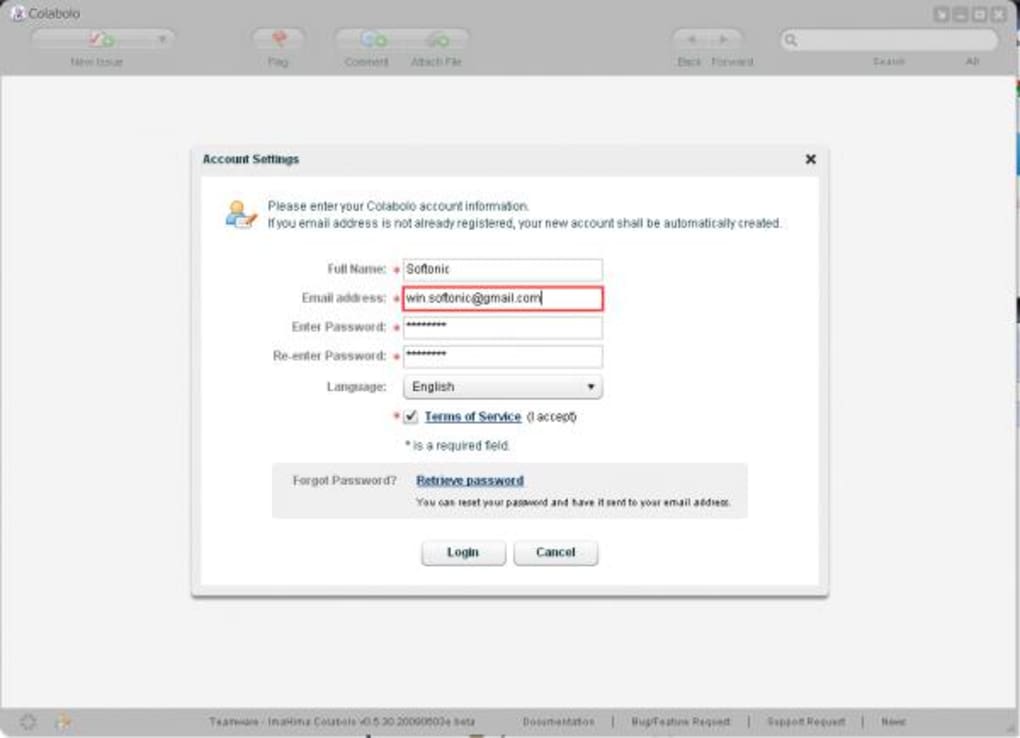
- On first launch, you’ll be asked to create a free account. Enter your name, email address, and a secure password; the process takes under a minute.
- Confirm your email via the verification link sent by Colabolo, then sign in to access the main dashboard.
Getting Started with Your First Project
Once logged in, a friendly post‑it tip appears on the right side of the screen, inviting you to “Create Your First Project.” Click the New Project button, give your project a descriptive name, and optionally add a brief summary. The wizard then asks you to invite teammates by entering their email addresses. Each invited member receives an invitation email with a one‑click acceptance link, automatically adding them to the project’s member list.
With the team assembled, you can start adding Excel sheets by dragging files into the project’s “Documents” area or using the Upload button. Tasks are created via the New Task button; assign them to specific members, set due dates, and add priority tags. The integrated calendar view lets you schedule meetings, attach agendas, and record minutes—all stored within the same project container.
System Requirements and Operating System Support
Colabolo runs on any modern Windows (7, 8, 10, 11) or macOS (10.13 High Sierra and later) system that supports Adobe Air. The application requires a minimum of 2 GB RAM and 200 MB of free disk space for the runtime and local cache. Because the core engine is Adobe Air, the same installation package works across both platforms, simplifying deployment for mixed‑OS teams. Mobile support for iOS is slated for release later this year, and an Android version is under consideration.
Security‑conscious users will appreciate that all data is transmitted over HTTPS and stored on encrypted servers. Regular automatic updates keep the runtime current, and the upcoming mobile app will inherit the same security standards, ensuring a seamless, secure experience across desktop and future mobile environments.
Pros & Cons, Frequently Asked Questions, and Final Verdict
Pros
- Intuitive Adobe Air interface that feels familiar to desktop users.
- Guided onboarding reduces learning time for new managers.
- Free during beta, with unlimited project creation.
- Robust Excel integration for data‑heavy teams.
- Secure cloud sync and HTTPS encryption.
- Upcoming iPhone support expands accessibility.
Cons
- Lacks advanced features such as Gantt charts, time tracking, and AI insights.
- Desktop‑only for now; mobile apps are not yet released.
- Future pricing model is uncertain; free access may end after beta.
- Relies on Adobe Air, which may require occasional runtime updates.
Frequently Asked Questions
Is Colabolo really free to use?
Yes. During the public beta, all core features are available at no cost. A paid version is planned for the post‑beta release, but the free tier will remain for basic project management.
Do I need an Adobe Air license to run Colabolo?
No separate license is required. The installer includes the Adobe Air runtime, and it updates automatically as needed.
Can I import existing Excel files into a project?
Absolutely. Use the “Upload” button or drag‑and‑drop your .xlsx files into the Documents area of any project. The files stay linked to the cloud, so teammates can view and edit them without leaving Colabolo.
Is my data stored securely?
All data is encrypted in transit via HTTPS and stored on servers that use industry‑standard encryption at rest. Regular security patches are applied to both the application and the backend infrastructure.
When will the iPhone app be available?
The development team has announced a target release window for Q4 2025. Early testers will receive an invitation to download the beta version via TestFlight.
Conclusion – Should You Download Colabolo?
If you’re a small‑team manager seeking a clean, easy‑to‑learn project management solution that integrates Excel files and offers solid task tracking, Colabolo is a compelling option. Its Adobe Air foundation guarantees cross‑platform stability, while the guided onboarding eliminates the steep learning curve common to many enterprise‑grade tools. The free beta period lets you evaluate the platform without any financial commitment, and upcoming mobile support promises to keep you connected wherever you work.
However, if your organization requires advanced resource planning, detailed analytics, or a fully featured mobile suite from day one, you may outgrow Colabolo’s lean feature set once the beta ends. In that case, consider transitioning to a more comprehensive solution after testing the waters with Colabolo.
Ready to give it a try? Free download now and experience a smoother, more visual way to manage projects.







